

How to Prepare for a Telemedicine Visit Successfully
How to Prepare for a Telemedicine Visit Successfully
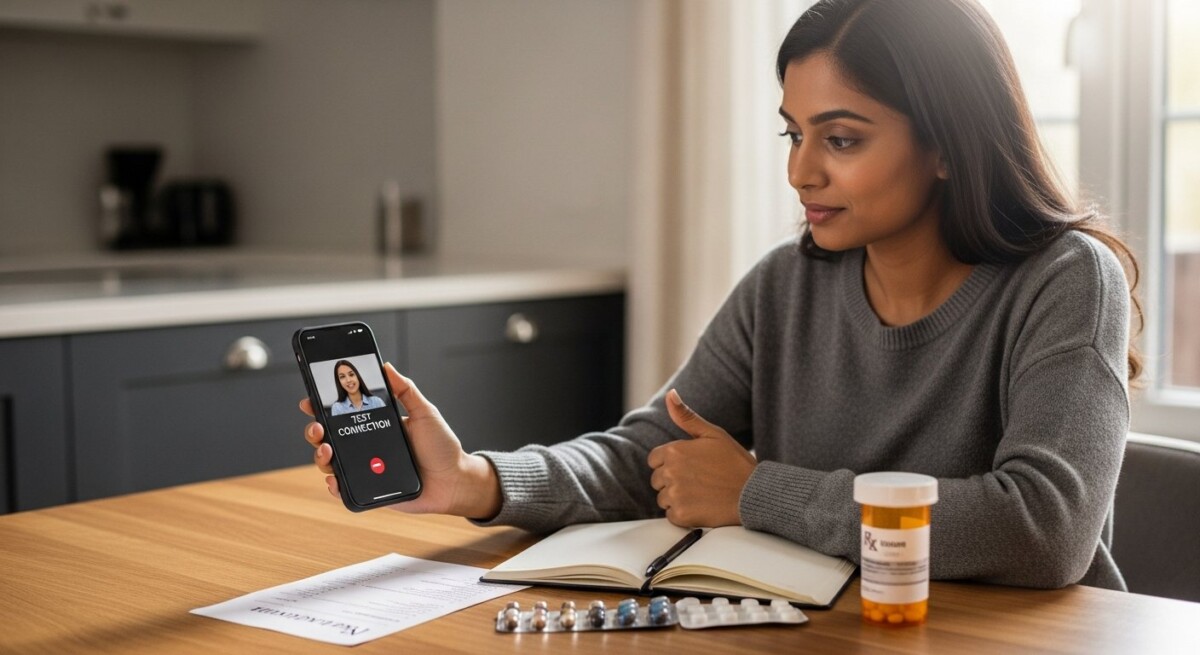
A telemedicine appointment offers incredible convenience, but its success hinges on preparation. Unlike a traditional office visit where a nurse might check your vitals and the doctor has your chart in hand, a virtual visit requires you to be an active partner in setting the stage for effective care. A little forethought can transform a potentially awkward video call into a productive, seamless consultation that rivals an in-person experience. This guide provides a comprehensive framework for your telemedicine visit preparation, ensuring you get the most out of your virtual healthcare time.
Laying the Groundwork Before Your Appointment
Effective preparation begins well before you click the “join visit” link. Start by confirming the logistical details. Double-check the date, time, and time zone of your appointment. Ensure you understand the platform your provider uses (e.g., Zoom, Doximity, a proprietary portal) and have downloaded any necessary apps or software updates in advance. Create an account if required and perform a test run to familiarize yourself with the interface. This prevents last-minute panic and technical delays that can eat into your valuable consultation time.
Next, gather your medical information. This step is the cornerstone of productive telemedicine visit preparation. Have a concise list of your current medications, including dosages and frequency. Note any allergies. Prepare a brief summary of your medical history relevant to today’s concern. If you have recent test results, lab reports, or images from other providers, have them scanned or photographed and ready to share via screen share or secure messaging. Writing down your primary reason for the visit and specific symptoms is crucial. Include details like when symptoms started, their severity, what makes them better or worse, and any treatments you’ve already tried.
Optimizing Your Technology and Environment
The quality of your telemedicine encounter depends heavily on your tech setup and surroundings. Choose a quiet, private, and well-lit room. Position your light source (a window or lamp) in front of you, not behind you, to avoid being silhouetted. Ensure your device (computer, tablet, or smartphone) is fully charged or plugged in. Use the best internet connection available, a wired Ethernet connection is ideal, but a strong Wi-Fi signal is acceptable. Close unnecessary applications on your device to maximize bandwidth and prevent notifications from popping up during your call.
Test your audio and video equipment beforehand. Use headphones with a microphone if possible to reduce echo and background noise. Position your webcam at eye level for a natural, engaged conversation. A stack of books can help elevate a laptop. Before the appointment, silence your phone and inform others in your household not to disturb you. A professional, distraction-free environment allows both you and your provider to focus entirely on the medical discussion. This level of preparation demonstrates respect for the clinician’s time and facilitates a more accurate assessment.
Conducting an Effective Virtual Consultation
When your appointment begins, approach it with the same seriousness as an in-person visit. Be ready to join a few minutes early in case there is a virtual waiting room. Start the conversation by clearly stating your chief concern. Refer to the notes you prepared to ensure you don’t forget key points. Describe your symptoms objectively. Since the physician cannot perform a hands-on physical exam, your descriptive ability is paramount. Instead of “my stomach hurts,” say “I have a sharp, cramping pain in my lower right abdomen that started yesterday and gets worse after I eat.”
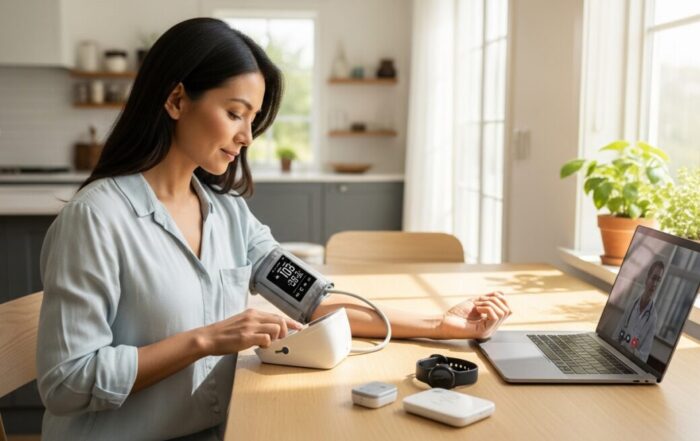
Be prepared to assist with a remote physical exam. Your doctor may ask you to perform certain maneuvers. They might say, “Press on the area and tell me if it’s tender,” or “Can you slowly move your shoulder through its full range of motion?” Have a thermometer, a blood pressure cuff, or a flashlight handy if relevant to your condition. Wear clothing that allows easy access to the area of concern (e.g., a loose shirt for a shoulder exam). Actively participate and ask for clarification if an instruction is unclear. The following list outlines key items to have on hand to support a remote exam:
- A list of current medications and allergies.
- A thermometer for checking temperature.
- A blood pressure monitor and pulse oximeter if you have one.
- A scale for weight, if relevant.
- A flashlight to help illuminate your throat, skin, or ears.
- A ruler or tape measure to document the size of a rash or swelling.
After describing your symptoms and assisting with any guided exam, engage in shared decision-making. Ask questions about your diagnosis, treatment options, potential side effects, and expected timeline for improvement. Take notes during this discussion or ask if a visit summary will be sent via a patient portal. Before ending the call, confirm the next steps. Understand any new prescriptions (including how they will be sent to your pharmacy), follow-up tests needed, and the plan for a subsequent appointment. This ensures a clear path forward after the virtual visit concludes.
Post-Visit Actions and Follow-Up
Your responsibilities don’t end when the video call disconnects. First, review the notes you took or any after-visit summary provided. If instructions were unclear, use your patient portal’s secure messaging function to ask for clarification. Fill any prescribed medications promptly and follow the treatment plan as directed. Schedule any recommended lab work or imaging studies. If a follow-up telemedicine or in-person appointment was suggested, book it immediately while the details are fresh. Monitoring your symptoms as advised and reporting back any concerning changes is a critical part of the ongoing care process.
Provide feedback on your experience through any surveys sent by the healthcare organization. This helps providers improve their telemedicine services. Finally, reflect on your preparation. What worked well? What would you do differently next time? Refining your personal telemedicine visit preparation checklist will make each subsequent virtual healthcare interaction even more efficient and effective. Embracing this proactive role empowers you to receive high-quality care regardless of physical distance.
Frequently Asked Questions
What if I have a technical problem during the visit?
Most platforms have a technical support number or chat feature. Have this information handy. If the connection fails completely, the clinic will typically call you on the phone to continue the consultation or reschedule.
Can I have a family member with me during a telemedicine visit?
Absolutely. It can be very helpful to have a caregiver or family member join, especially to help with technology, take notes, or provide additional information about your health. Just inform your doctor at the start of the visit.
Will my insurance cover a telemedicine appointment?
Coverage has expanded greatly, but you should always verify with your insurer beforehand. Check if telemedicine visits are covered under your plan, if there are any copays, and if the provider you are seeing is in-network for virtual care.
What conditions are NOT suitable for telemedicine?
Telemedicine is excellent for follow-ups, chronic disease management, mental health, minor illnesses (colds, rashes, UTIs), and medication reviews. It is not appropriate for emergencies like chest pain, severe shortness of breath, stroke symptoms, or major trauma. In these cases, call 911 or go to an emergency room.
How do I share photos or documents during the visit?
Many patient portals allow you to upload files before the visit. During the call, you can often use a “screen share” function. If neither works, ask the provider for the safest way to send the information via secure messaging after the call.
Mastering the art of telemedicine visit preparation transforms virtual care from a mere convenience into a powerful tool for maintaining your health. By taking charge of the process, from tech checks to symptom documentation, you become an empowered participant in your healthcare journey. This proactive approach ensures that every minute of your virtual consultation is focused, productive, and dedicated to achieving the best possible health outcomes, bridging the digital gap with confidence and clarity.
About the Author: Jessica Martinez




Sign up for our newsletter and Save 20% on Test Kits
"*" indicates required fields