
VA Telemedicine Services and Virtual Care Guide: Benefits
VA Telemedicine Services and Virtual Care Guide: Benefits
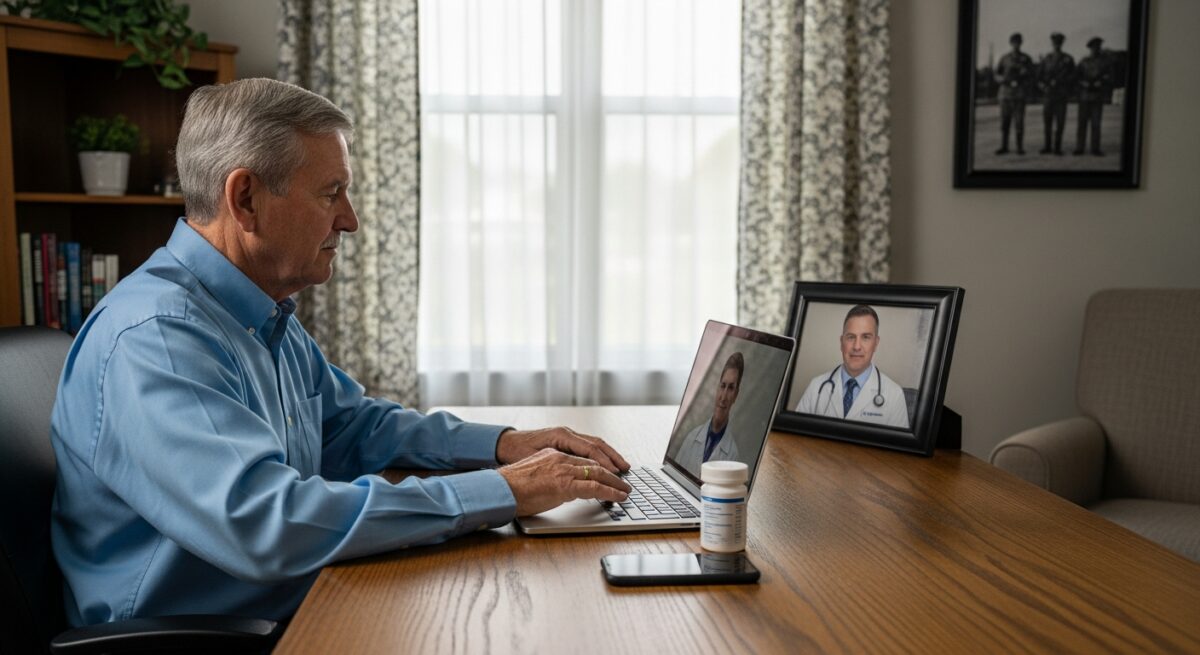
For veterans managing health conditions, traveling to a Department of Veterans Affairs clinic or hospital can mean long drives, extended wait times, and significant time away from work or family. The VA has transformed how veterans access healthcare by expanding its virtual care options. This VA Telemedicine Services and Virtual Care Guide explains how eligible veterans can connect with VA providers from home, what services are available, and how to get started with digital appointments.
Understanding VA Telemedicine Services
The Veterans Health Administration (VHA) delivers telemedicine through several platforms designed to match different clinical needs and technology preferences. VA telemedicine covers primary care, mental health counseling, specialty consultations, and medication management. Veterans can use video visits on smartphones, tablets, or computers. Some services also include secure messaging and telephone appointments.
VA telehealth programs have grown rapidly. In fiscal year 2024, the VA conducted more than 2.5 million video visits. This growth reflects the convenience and effectiveness of virtual care for routine check-ups, chronic condition monitoring, and follow-up appointments. The VA telehealth platform meets federal privacy and security standards, ensuring veterans’ health information remains protected.
Who Is Eligible for VA Virtual Care?
Eligibility for VA telemedicine generally follows standard VA healthcare eligibility. Veterans enrolled in VA healthcare can use most telemedicine services. There are no extra enrollment steps for basic video visits. Veterans must have a smartphone, tablet, or computer with a camera, microphone, and internet connection. The VA also provides technology support for veterans who lack devices or internet access through programs like the Veterans Health Administration’s telehealth grant initiatives.
Veterans receiving care through the Civilian Health and Medical Program of the VA (CHAMPVA) or those eligible for community care may also access virtual services. The VA encourages veterans to check their eligibility by calling their local VA medical center or visiting the VA telehealth website. For those with limited technology experience, the VA offers step-by-step guides and live support to help set up their first virtual appointment.
Key Virtual Care Platforms Available
The VA offers multiple ways to connect with providers. Below are the main platforms veterans can use for their VA telemedicine appointments.
- VA Video Connect (VVC): A secure video app for real-time appointments on mobile devices or computers. Veterans do not need to download software for visits initiated by providers.
- My HealtheVet Secure Messaging: A text-based system for non-urgent questions, prescription refills, and follow-up communication with care teams.
- Telephone Appointments: Simple phone calls for conditions that do not require visual examination, such as medication reviews or lab result discussions.
- VA Mobile Apps: Condition-specific apps for managing diabetes, post-traumatic stress disorder, and other chronic issues, often integrated with provider dashboards.
Each platform serves a distinct purpose. Veterans should discuss with their provider which option best fits their medical needs and comfort level. Many veterans use a combination of these tools to maintain regular contact with their healthcare team.
How to Schedule and Prepare for a Virtual Visit
Scheduling a VA telemedicine appointment works like scheduling an in-person visit. Veterans can call their VA medical center, use the My HealtheVet website, or request an appointment through the VA mobile app. Providers may also initiate virtual follow-ups directly.
Preparation steps include:
- Confirm your technology works. Test your camera, microphone, and internet connection at least one day before the appointment.
- Find a private, well-lit space where you can talk freely. Avoid public areas or rooms with distractions.
- Gather any health information you may need, such as current medications, blood pressure readings, or recent symptoms.
- Write down questions or concerns in advance so you do not forget them during the appointment.
Veterans should also check if their VA provider uses VA Video Connect or another platform. The VA will send a link or instructions before the visit. If technical issues arise, the VA help desk can assist during business hours.
Conditions Treated Through VA Telehealth
VA telemedicine covers a wide range of conditions. Mental health services are among the most common uses. Veterans with depression, anxiety, post-traumatic stress disorder, or substance use disorders can attend therapy sessions and medication management appointments online. Studies show that virtual mental health care is as effective as in-person care for many veterans.
Primary care visits for routine check-ups, blood pressure monitoring, and diabetes management are also well-suited for telemedicine. Dermatology consultations often use store-and-forward technology where veterans upload photos of skin issues for specialist review. The VA also offers telehealth for audiology, nutrition counseling, and pain management. For conditions requiring prescriptions, VA providers can electronically send prescriptions to a VA pharmacy or a preferred local pharmacy.
Benefits of Virtual Care for Rural and Disabled Veterans
Virtual care addresses significant barriers for veterans living in rural areas or those with mobility challenges. Many veterans travel more than 40 miles one way to reach a VA facility. Telemedicine eliminates that travel burden, saving time and money. Veterans with disabilities who find clinic visits physically difficult can receive care from the comfort of their homes.
The VA has also introduced home telehealth programs for veterans with chronic conditions like heart failure or hypertension. These programs provide remote monitoring equipment such as blood pressure cuffs and scales that transmit data directly to providers. This proactive approach helps catch health changes early and reduces hospitalizations. For veterans interested in broader virtual healthcare options, our guide on National Telemedicine Services: How They Work and Who Benefits explains how similar platforms operate outside the VA system.
Privacy and Security in VA Virtual Care
VA telemedicine platforms comply with HIPAA and federal cybersecurity standards. VA Video Connect uses end-to-end encryption to protect video and audio streams. My HealtheVet messages are stored on secure VA servers. Veterans do not need to worry about their health data being exposed during virtual visits.
The VA also provides guidance on maintaining privacy at home. Veterans are encouraged to use headphones during sensitive conversations and to ensure no one else can overhear or see the screen. Providers follow the same protocols they use in clinic settings. If a veteran feels uncomfortable with video, telephone appointments are available as an alternative.
Limitations and When to Visit in Person
While VA telemedicine is comprehensive, some situations require physical examinations or procedures. Emergencies such as chest pain, severe bleeding, or difficulty breathing cannot be handled virtually. Veterans experiencing these symptoms should call 911 or go to the nearest emergency room.
Certain diagnostic tests like lab work, X-rays, or MRIs require an in-person visit. However, veterans can often complete these tests at a local VA clinic or community facility and then discuss results via telemedicine. Providers will guide veterans on when a physical visit is necessary. The VA coordinates care so that veterans rarely need to travel unless absolutely required.
Frequently Asked Questions
Is VA telemedicine free for eligible veterans?
Yes. VA telemedicine visits are covered under standard VA healthcare benefits with no copay for most veterans. There are no additional charges for using video or telephone appointments.
Can I use VA telemedicine if I live outside the United States?
VA telemedicine is generally available only within the United States and its territories. Veterans living abroad should contact their local VA office for information about international care options.
Do I need a smartphone for VA virtual visits?
No. You can use a desktop computer, laptop, or tablet with a camera and microphone. The VA also provides loaner devices for veterans who need them.
How do I get a prescription through VA telemedicine?
Your VA provider can electronically prescribe medications after a virtual visit. Prescriptions are mailed to your home or filled at a VA pharmacy. Some medications may require in-person monitoring.
Can I see a specialist via VA telemedicine?
Yes. Many VA specialties offer virtual consultations, including mental health, dermatology, nutrition, audiology, and pain management. Availability depends on your local VA facility and the specialist’s schedule.
VA telemedicine continues to evolve to meet veterans’ needs. For veterans seeking convenient, confidential care for specific conditions, platforms like DoctorsHome offer similar virtual consultation services for non-emergency issues such as herpes virus treatment and eye allergies. As with any healthcare decision, veterans should discuss their options with their primary care provider to determine the best approach for their health. Learn more
About the Author: Michael Anderson





Sign up for our newsletter and Save 20% on Test Kits
"*" indicates required fields