
How to Set Up a Telehealth Appointment for Seamless Virtual Care
How to Set Up a Telehealth Appointment for Seamless Virtual Care

Gone are the days when seeing a doctor required a lengthy commute, a waiting room full of other patients, and a significant chunk of your day. Telehealth has revolutionized healthcare access, bringing quality medical consultations directly to your home, office, or anywhere you have an internet connection. The cornerstone of this convenience is a smooth telehealth appointment setup process. When done correctly, it paves the way for a productive, stress-free visit with your provider. This comprehensive guide will walk you through every step, from choosing a platform to troubleshooting common tech issues, ensuring you are fully prepared to make the most of your virtual care experience.
Preparing for Your First Virtual Visit
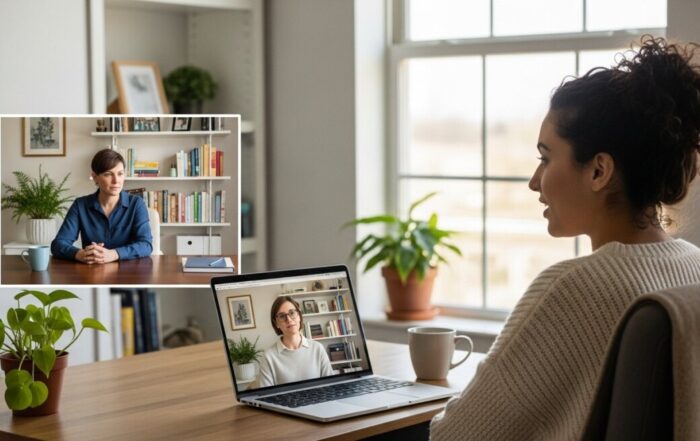
Success in a telehealth appointment begins long before you click the “join” link. Proper preparation is the single most important factor in ensuring your visit is as effective as an in-person one. Start by confirming all details with your provider’s office. You should receive clear instructions via email or a patient portal, including the date, time, platform (like Zoom for Healthcare, Doximity, or a proprietary system), and a secure link for the call. Treat this appointment with the same seriousness as an in-office visit: block off the time on your calendar, minimize potential distractions, and ensure you have a private, well-lit space to talk.
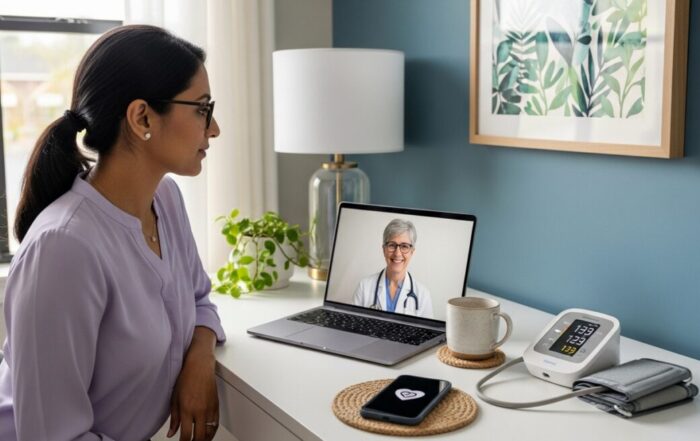
Next, gather all relevant medical information. This includes a list of your current medications (including dosages), any known allergies, your medical history, and the names of other specialists you see. Have your pharmacy’s name and address handy in case a prescription is sent. If your visit is for a specific concern, such as a skin condition or a recurring pain, consider taking clear photos or videos beforehand from different angles under good lighting. For chronic condition management, having recent vital signs (like blood pressure or glucose readings) logged and available is invaluable. This preparation allows you to communicate efficiently, making the limited virtual time profoundly more productive.
The Technical Checklist for a Flawless Connection
A stable technical setup is non-negotiable for a successful telehealth session. Technical difficulties are the most common barrier to effective virtual care, but they are largely preventable with a few simple checks. Begin with your hardware. While smartphones are capable, using a computer or tablet with a larger screen is often preferable for both you and the provider, allowing for better visual assessment. Ensure your device is fully charged or plugged in.
Your internet connection is the lifeline of the appointment. A wired Ethernet connection is the most reliable, but a strong Wi-Fi signal is usually sufficient. Conduct a speed test beforehand; most video conferencing platforms recommend a minimum of 10-15 Mbps for download and upload speeds. Close all unnecessary applications and browser tabs that may consume bandwidth or slow down your device. Crucially, test your audio and video equipment. Use your device’s settings to check that the camera and microphone are working, and that you are framed well in the center with your face clearly visible. Good, front-facing light (from a window or lamp in front of you, not behind you) is essential. Finally, log into the platform 10-15 minutes early to address any last-minute software updates or permission prompts. This proactive approach eliminates nearly all common tech hurdles.
Essential Items to Have Ready
Beyond your device and connection, having these physical items within arm’s reach will streamline your appointment:
- Government-issued ID and insurance card: The provider may need to verify your identity and coverage details.
- Notepad and pen: For taking notes on the doctor’s advice, instructions, or next steps.
- A list of questions and symptoms: Prioritize your top 2-3 concerns to discuss within the allotted time.
- A flashlight: Useful for the provider to get a better look at your throat, ears, or a skin issue if asked.
- A credit or debit card: For any applicable copay, which may be processed electronically before or after the visit.
Navigating the Appointment and Follow-Up
When the appointment begins, approach it as you would any medical consultation. Speak clearly, describe your symptoms or concerns in detail (onset, duration, severity), and don’t hesitate to ask for clarification if you don’t understand something. The provider will guide the conversation, but being an engaged, prepared participant is key. Be honest about your health habits and challenges. Remember, the same standards of confidentiality (HIPAA compliance) apply to telehealth as to in-person care, especially when using a provider-recommended, secure platform.
As the visit concludes, ensure you have absolute clarity on the next steps. This is the most critical part of the interaction. Confirm any new or changed medication instructions, understand the plan for follow-up (e.g., another virtual visit, an in-person lab test, or a referral to a specialist), and know how you will receive your after-visit summary and any prescriptions. Many systems send prescriptions electronically to your pharmacy of choice. Finally, understand the billing process. Telehealth coverage has expanded significantly, and for many, understanding insurance nuances is vital. For instance, our resource on Telehealth Appointments as One of The Medicare Beneficiaries explains how federal programs have adapted to cover virtual care, which can help you avoid unexpected costs.
Overcoming Common Telehealth Challenges
Even with preparation, you may encounter obstacles. The most frequent issue is a poor internet connection, which can cause audio/video lag or call dropout. If this happens, try turning off your video to preserve audio quality, or switch to a phone call if the provider offers that option. If you are uncomfortable with the technology, ask a family member for help during the setup phase. Some patient portals also offer tutorial videos or live tech support. Another challenge is the perceived limitation of a physical exam. While a provider cannot listen to your heart or lungs remotely, they can guide you through a self-exam, observe your gait, assess range of motion, and visually examine areas of concern with your help. Being an active participant in this adapted exam is crucial for an accurate assessment.
Privacy concerns are also valid. If you lack a private room at home, consider using a car (parked safely), booking a private pod at a library, or using noise-canceling headphones with a microphone. Communicate any privacy constraints to your provider at the start of the session. They are trained to work with you to maintain confidentiality. Ultimately, clear communication with your provider’s office about any challenges is the fastest path to a solution, ensuring that technical or logistical issues do not become barriers to receiving necessary care.
Frequently Asked Questions
What equipment do I absolutely need for a telehealth appointment?
At a minimum, you need a smartphone, tablet, or computer with a camera, microphone, speaker, and a reliable high-speed internet connection. Headphones can improve audio privacy and quality.
Will my insurance cover a telehealth visit?
Coverage has expanded dramatically. Most private insurers, Medicare, and Medicaid now cover telehealth services similarly to in-person visits. However, you should always verify with your specific insurance plan and the provider’s office beforehand to understand any copays or visit requirements.
What if I have an emergency during a telehealth call?
Telehealth is not for emergencies. If you experience chest pain, severe shortness of breath, stroke symptoms, or any other life-threatening condition, the provider will instruct you to hang up and call 911 or go to the nearest emergency room immediately.
Can I get a prescription through telehealth?
Yes, providers can prescribe medications during a telehealth visit, including for mental health and many common conditions. However, they cannot prescribe controlled substances without an established, in-person relationship in many jurisdictions, and certain medications may require lab work first.
How do I handle a poor internet connection during my appointment?
Inform your provider immediately. You can try turning off your video to conserve bandwidth, moving closer to your Wi-Fi router, or using your smartphone as a hotspot. As a last resort, the appointment can often be switched to an audio-only phone call.
Mastering the telehealth appointment setup process empowers you to take an active role in your healthcare journey. It eliminates geographical and logistical barriers, making consistent care more accessible than ever. By investing time in preparation, you transform a simple video call into a powerful tool for maintaining and improving your health. The convenience and efficiency of virtual care are here to stay, and being proficient in its setup ensures you can leverage this technology to its fullest potential, fostering a stronger, more collaborative relationship with your healthcare providers.
About the Author: James Patel


Sign up for our newsletter and Save 20% on Test Kits
"*" indicates required fields