
Essential Telemedicine Equipment for Effective Virtual Care
Essential Telemedicine Equipment for Effective Virtual Care
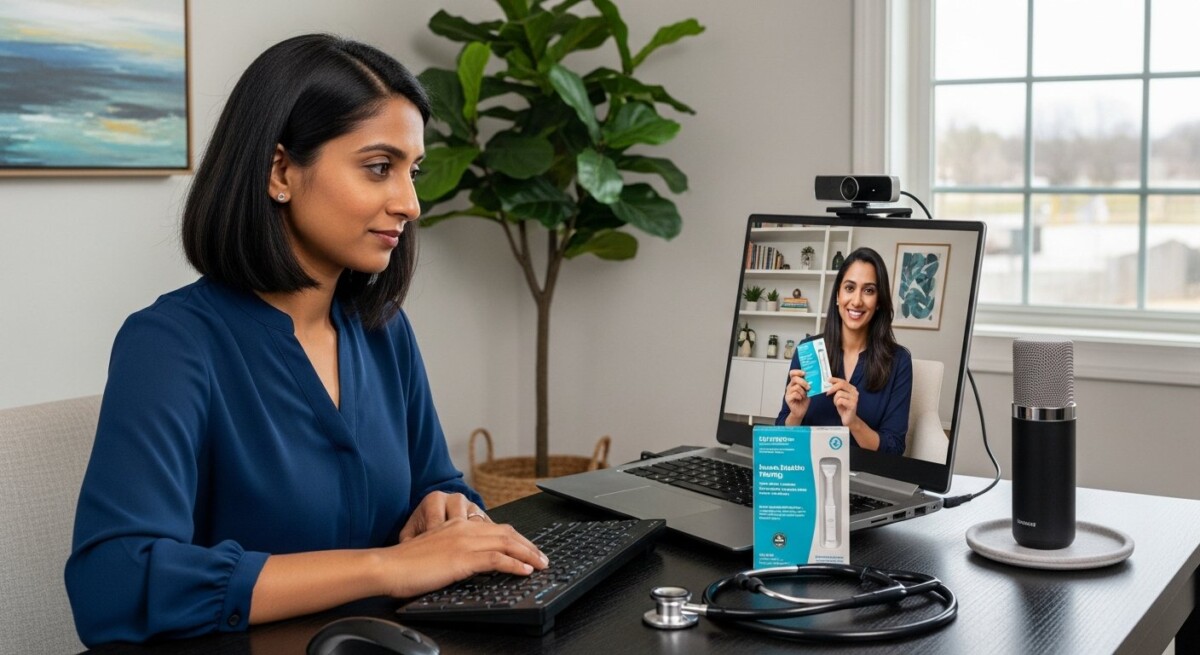
Building a successful virtual practice, whether you are a healthcare provider or a patient preparing for remote consultations, hinges on having the right foundational tools. The telemedicine equipment needed is more than just a webcam and an internet connection, it is a carefully considered ecosystem designed to facilitate clear communication, accurate clinical assessment, and secure data handling. This technology bridges the physical gap between patient and provider, transforming a simple video call into a legitimate clinical encounter. For clinicians, it means replicating the diagnostic acuity of an in-person visit as closely as possible. For patients, it means accessing convenient, high-quality care from a trusted professional. The right setup ensures that both parties can focus on the health concern at hand, not on technical glitches or inadequate tools.
Core Hardware: The Foundation of Your Telemedicine Setup
The hardware you choose forms the bedrock of your telemedicine capability. This category encompasses the physical devices that capture audio, video, and sometimes physiological data. Investing in reliable, high-quality hardware is non-negotiable for professional practice. Subpar equipment leads to poor audio, grainy video, and frustrated patients, which can undermine clinical confidence and lead to miscommunication. For providers, this hardware is a direct extension of their clinical toolkit. For patients participating from home, certain basic hardware is equally important to ensure they are seen and heard clearly, allowing the provider to make the best possible assessment.
Let’s break down the essential hardware components. A capable computer is the central hub. For most telemedicine platforms, a modern laptop or desktop with a multi-core processor (Intel i5 or equivalent AMD Ryzen 5 and above) and at least 8GB of RAM is sufficient. This ensures smooth video encoding and platform operation without lag. The display should be of adequate size and resolution (1080p or higher) to allow the provider to observe patient details, such as skin conditions or facial expressions, which are critical visual cues. While built-in webcams and microphones on modern laptops have improved, dedicated peripherals often provide a significantly superior experience.
A high-definition external webcam is arguably the most impactful upgrade. Look for a camera that offers at least 1080p resolution at 30 frames per second, with features like autofocus and good low-light performance. This clarity is vital for examinations. Similarly, audio quality cannot be an afterthought. A dedicated USB microphone or a high-quality headset with a noise-canceling boom mic eliminates echo, background noise, and muffled speech, ensuring every word is understood. This is crucial for taking an accurate history and explaining treatment plans. Finally, a stable, high-speed internet connection is the invisible yet critical piece of hardware. Both provider and patient should aim for a wired Ethernet connection when possible, as it is more stable than Wi-Fi. If using Wi-Fi, ensure a strong signal. A minimum upload and download speed of 10-25 Mbps is recommended for HD video, though more is better, especially for multi-party calls or screen sharing.
Specialized Clinical Devices for Enhanced Assessment
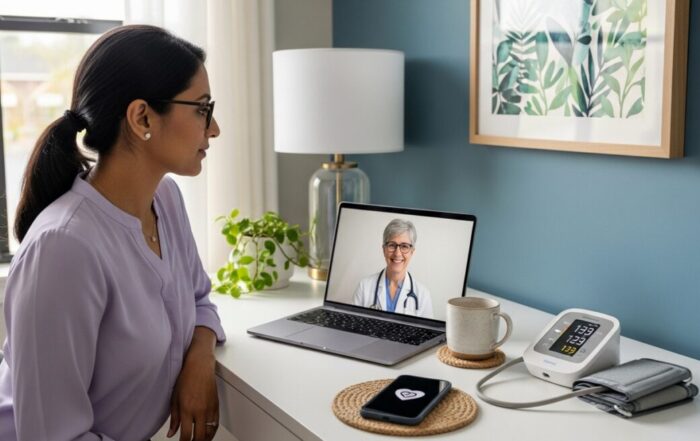
Beyond the basics, certain specialties benefit immensely from peripheral medical devices that transmit clinical data. These devices, often FDA-cleared as wellness or medical tools, allow providers to gather objective vitals and visual information remotely. For primary care and chronic disease management (like hypertension or diabetes), a digital Bluetooth sphygmomanometer for blood pressure and a pulse oximeter are incredibly valuable. Patients can use these at home, and the data can be shared seamlessly via app or manually reported. A digital thermometer is another simple but essential tool. For dermatology or general visual exams, a consumer-grade digital dermatoscope or a high-magnification macro lens that attaches to a smartphone camera can provide detailed skin images far superior to a standard webcam. While not a replacement for an in-person biopsy, it can help triage concerns and monitor known conditions. Otoscopes and oral scopes designed for patient self-use or assisted use by a family member are also available, though they require proper patient education.
Software and Platform Considerations
The software is the engine that drives the telemedicine visit, integrating hardware, facilitating the encounter, and managing the associated data. The choice of platform is a critical decision with clinical, operational, and legal implications. A professional telemedicine platform does much more than video chat, it provides a structured, secure, and compliant environment for healthcare delivery. Key features to look for include robust encryption for data in transit and at rest (typically HIPAA-compliant 256-bit AES encryption), secure user authentication, and detailed audit logs. The platform should integrate smoothly with your practice management software and Electronic Health Record (EHR) system to avoid double documentation and ensure continuity of care.
Functionality for clinical workflow is paramount. This includes features like a virtual waiting room, the ability to easily share educational materials or diagrams with the patient via screen sharing, and tools for secure messaging outside of the visit. Prescription integration, either through an e-prescribing module or a seamless connection to a pharmacy, streamlines the treatment process. For patients, the software experience must be intuitive and accessible. A platform that offers a simple, one-click join feature via a web browser without requiring complex software downloads lowers the barrier to entry, especially for less tech-savvy patients. Mobile app availability is also essential for on-the-go access and for patients who may not have a computer.
When evaluating platforms, consider the total cost of ownership, not just the monthly subscription fee. Factor in setup costs, training time for staff, and any transaction fees per visit. Many platforms, including established services like Doctors Home, handle the complexity of software compliance, security, and patient onboarding, allowing providers to focus solely on the clinical interaction. This managed service model can be particularly advantageous for individual practitioners or small practices that lack dedicated IT resources.
Optimizing the Patient Environment and Experience
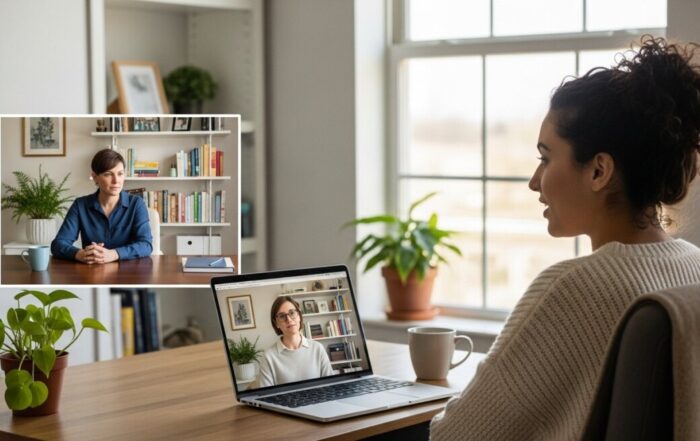
The patient’s home setup is the other half of the telemedicine equation. A successful visit requires their active participation in creating a suitable environment. Providers should offer clear pre-visit instructions to guide patients. This guidance is a form of digital literacy that improves care quality. Patients should be advised to test their equipment, camera, and microphone before the appointment. They should seek a quiet, private room with good, consistent lighting, preferably facing a window or with a soft lamp illuminating their face. Backlighting from a bright window behind them will render them as a dark silhouette. A plain, non-distracting background is professional and helps the provider focus.
Patients should also be prepared just as they would for an in-office visit. This includes having a list of current medications, knowing their pharmacy details, and having any relevant home monitoring data (like recent blood pressure readings or blood glucose logs) readily available. If the consultation is for a specific issue like a rash or a wound, they should ensure the area is clean and accessible, and that their camera can focus on it clearly. Encouraging patients to use a stable device propped on a table, rather than holding a shaky smartphone, also improves video quality. By empowering patients with these simple steps, providers can significantly increase the diagnostic yield and efficiency of the virtual visit.
Data Security, Privacy, and Regulatory Compliance
Every piece of telemedicine equipment and software must operate within a strict framework of data security and privacy regulations. In the United States, the Health Insurance Portability and Accountability Act (HIPAA) sets the standard for protecting sensitive patient health information. Compliance is not optional. This means the entire data flow, from the patient’s device to the provider’s screen and into the medical record, must be encrypted. Using consumer-grade video conferencing tools like standard Zoom or Skype for clinical encounters is a significant compliance risk and is generally not advisable unless a specific Business Associate Agreement (BAA) is in place and the platform is configured for healthcare.
Providers must ensure their chosen platform will sign a BAA, a contract that stipulates the platform’s responsibility for safeguarding Protected Health Information (PHI). Physical security of hardware is also part of compliance. Computers used for telemedicine should be password-protected, have automatic lock screens, and be used in private settings to prevent unauthorized viewing. Any clinical data stored locally, such as downloaded patient images, must be on encrypted drives. Regular software updates for the operating system, telemedicine platform, and antivirus programs are critical to patching security vulnerabilities. Ultimately, the responsibility for patient data security rests with the healthcare provider, making the choice of compliant, enterprise-grade telemedicine equipment and software a fundamental clinical and legal duty.
Building a Scalable Telemedicine Practice
As your telemedicine practice grows, your equipment and processes may need to scale. For solo practitioners, a single, well-equipped workstation may suffice. For larger groups or health systems, consider a dedicated telemedicine room or cart. A telemedicine cart can house a computer, medical peripherals (like a high-resolution examination camera, digital stethoscope, and vital signs monitor), and be wheeled between rooms, turning any space into a virtual care station. This is common in hospitals for specialist consults (e.g., telestroke, tele-ICU). Workflow integration becomes even more critical at scale. Automating appointment reminders, intake forms, and post-visit follow-ups through your platform can save administrative time and reduce no-shows.
Analytics tools provided by many platforms can offer insights into visit volumes, no-show rates, patient satisfaction, and clinical outcomes, helping you refine your service. Furthermore, consider how telemedicine integrates with other digital health tools. Platforms that offer connections to at-home testing kits, like those for STIs or wellness panels, create a more comprehensive care continuum. A patient can have a consultation, receive a test kit in the mail, submit their sample, and then review results with the same provider, all within a secure digital ecosystem. This hybrid model of virtual and physical care represents the future of accessible medicine.
Frequently Asked Questions
What is the most important piece of telemedicine equipment for a provider starting out?
While all components are important, a reliable, high-definition external webcam and a quality microphone/headset are the most impactful initial investments after securing a HIPAA-compliant platform. They directly affect the quality of the clinical interaction and patient perception of care.
Can I use my smartphone or tablet for telemedicine visits?
Yes, many platforms offer robust mobile apps. For providers, a tablet can be a convenient tool for virtual rounds or quick consultations. For patients, smartphones are often the most accessible device. The key is ensuring a stable holder (tripod), good lighting, and a quiet environment.
Are there specific internet speed requirements for telemedicine?
Aim for a minimum of 10-25 Mbps download/upload speed for high-definition video. Use a wired Ethernet connection for the most stable performance, especially for providers. Always conduct a speed test (e.g., speedtest.net) from the location where you will be practicing.
What should I do if my patient has poor internet or low tech literacy?
Have a backup plan. This could include switching to an audio-only phone call, using a platform with a low-bandwidth mode, or providing very clear, step-by-step instructions ahead of time. Some practices offer a tech-check call before the first appointment to troubleshoot.
How do I handle prescriptions through telemedicine?
Your telemedicine platform should integrate with an e-prescribing (eRx) service. This allows you to send prescriptions electronically directly to the patient’s chosen pharmacy. Ensure you are licensed to practice in the state where the patient is physically located during the visit, as this is a key regulatory requirement.
The journey to effective virtual care begins with a strategic investment in the right telemedicine equipment. By thoughtfully selecting hardware that ensures clarity, software that guarantees security and smooth workflow, and by guiding patients to optimize their own environment, healthcare providers can build a telemedicine practice that is not just a temporary substitute, but a permanent, valuable, and high-quality extension of their clinical services. The goal is to make the technology so seamless that it becomes an invisible conduit for the human connection and clinical expertise that define healing.
About the Author: Natalie Carter



Sign up for our newsletter and Save 20% on Test Kits
"*" indicates required fields