

Choosing the Best Telehealth Desktop Apps for Virtual Care
Choosing the Best Telehealth Desktop Apps for Virtual Care

The landscape of healthcare delivery has been fundamentally reshaped by the rise of virtual care, with desktop applications emerging as a critical tool for both providers and patients. Unlike mobile apps designed for quick, on-the-go consultations, telehealth desktop apps and platforms for virtual care offer a robust, feature-rich environment suited for comprehensive medical visits, detailed clinical documentation, and seamless integration with existing practice workflows. For healthcare organizations aiming to build a sustainable, efficient, and high-quality virtual care program, selecting the right desktop platform is not just a technical decision, it is a strategic one that impacts patient outcomes, clinician satisfaction, and operational viability.
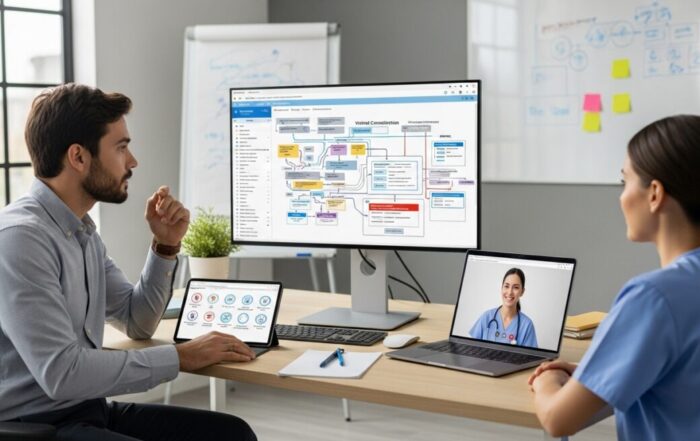
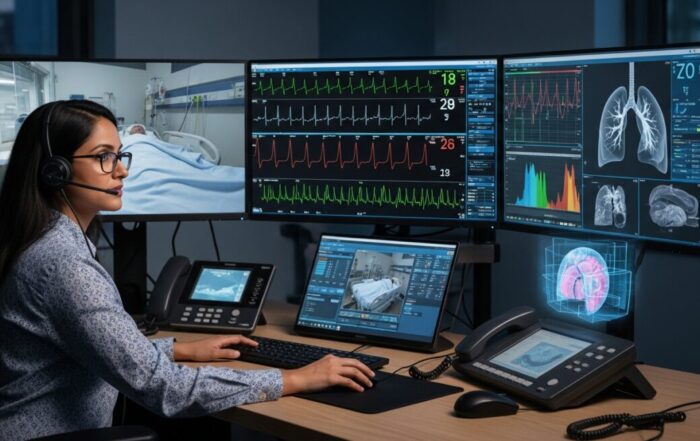
The advantages of a dedicated desktop environment are significant. Larger screens facilitate better visual assessment, allow for easy screen-sharing of educational materials or test results, and enable providers to manage multiple windows simultaneously, such as an electronic health record (EHR) alongside a video consultation. For patients, especially those managing chronic conditions or undergoing therapy, the stability and audio-visual quality of a desktop app can make the experience feel more substantial and connected than a smartphone call. This shift towards powerful desktop solutions represents the maturation of telehealth from a convenient alternative into a primary modality for delivering care.
Core Features of Enterprise-Grade Telehealth Platforms
When evaluating telehealth desktop apps, it is essential to look beyond basic video conferencing capabilities. A true virtual care platform is built with clinical workflows, security, and interoperability at its core. The foundation is a secure, HIPAA-compliant video engine that guarantees patient privacy. This goes far beyond standard encryption, it involves ensuring that data is not stored on insecure servers, that business associate agreements (BAAs) are in place with all technology vendors, and that access controls are stringent. The platform should offer a consistent, high-definition experience even on lower-bandwidth connections, as equitable access is a cornerstone of effective telehealth.
Integration is arguably the most critical feature for provider adoption and workflow efficiency. The best telehealth platforms function not as a standalone silo but as an extension of the clinician’s digital workspace. Deep integration with the practice’s EHR allows for single-sign-on, launching visits directly from the patient’s chart, and automatic documentation of the encounter. Scheduling integration pulls visit details directly from the practice management system, and billing integration streamlines coding and claims submission. Without these integrations, clinicians face the burden of double-documentation and administrative friction that can erode the time-saving benefits of virtual care. For a deeper understanding of how these components work together, our guide on Telehealth Platforms Explained: How Virtual Care Works breaks down the essential architecture.
Additional features that define a superior platform include customizable virtual waiting rooms where patients can complete pre-visit intake forms, support for multi-party visits (such as with family members or interpreters), and built-in clinical tools. These tools might include digital stethoscopes, otoscopes, or high-resolution photo capture for dermatology concerns. The administrative backend should provide robust analytics on visit volume, no-show rates, patient satisfaction, and clinical outcomes, enabling continuous improvement of the virtual care program.
Optimizing the Patient Experience on Desktop
The success of any virtual care initiative hinges on a smooth, intuitive patient experience. For desktop-based telehealth, this means minimizing technological barriers. The ideal patient journey begins with a simple, low-friction access method. While some platforms require a dedicated software download, many now offer a browser-based WebRTC option that allows patients to join a visit directly from Chrome, Edge, or Safari without any installation. This significantly reduces abandonment rates before the visit even starts. Clear, proactive communication is key: patients should receive detailed instructions via email and SMS, explaining how to test their audio/video, join the waiting room, and what to expect during the consultation.
Once in the visit, the interface should be clean and non-intimidating, with large, obvious buttons for mute, video on/off, and screen share. For patients with limited tech proficiency, features like one-click join and automated device testing are invaluable. The platform should also accommodate patients’ needs beyond the video call itself. This includes secure messaging for follow-up questions, a patient portal for viewing after-visit summaries and educational materials, and integrated payment processing for copays. By creating a cohesive digital front door, the telehealth desktop app becomes more than a video tool, it becomes the hub for the patient’s ongoing care management.
Consider the following elements that are crucial for a positive patient experience on a desktop telehealth platform:
- Pre-Visit Readiness Checks: Automated systems that test camera, microphone, and internet speed before the appointment day.
- Accessible Design: Compliance with WCAG guidelines, including support for screen readers, keyboard navigation, and closed captioning.
- Technical Support Access: Easy-to-find live chat or phone support for patients experiencing connection issues.
- Simple File Sharing: The ability for patients to easily upload photos of symptoms or insurance cards prior to the visit.
- Post-Visit Continuity: Direct links to schedule follow-ups, order prescriptions, or purchase recommended at-home testing kits.
The goal is to mirror the reassurance and guidance of a clinical setting within a digital environment. When patients feel confident and supported by the technology, they are more likely to engage fully in their care, leading to better adherence and health outcomes.
Strategic Implementation and Workflow Integration
Deploying a new telehealth desktop app is a change management project as much as a technical one. Successful implementation requires careful planning around clinical workflows. One must decide which appointment types are suitable for virtual care (e.g., follow-ups, medication management, chronic disease check-ins, behavioral health) and design specific protocols for each. Staff roles must be clearly defined: who schedules the visits, who acts as the virtual medical assistant to room the patient, who provides technical triage? Training is non-negotiable, not only on how to use the software but on best practices for web-side manner, such as maintaining eye contact with the camera, effectively describing physical exam maneuvers, and ensuring a professional, distraction-free background.
The physical and digital setup for providers is equally important. Clinicians should be equipped with high-quality USB webcams, noise-canceling microphones, and proper lighting. Their desktop workstation should be configured to allow easy toggling between the telehealth platform, the EHR, and any other diagnostic or reference applications. Workflow integration extends to ancillary services as well. The most advanced platforms offer direct connections to digital pharmacy services for e-prescribing, partnerships with local labs for order and result integration, and even connections to durable medical equipment (DME) suppliers. For services like Doctors Home, this ecosystem approach is vital, where a virtual consultation can seamlessly lead to a prescribed treatment plan or the dispatch of an at-home testing kit, creating a closed-loop care continuum entirely through the desktop interface.
Measuring success through defined metrics is the final piece of strategic implementation. Key performance indicators (KPIs) should include patient adoption rates, provider productivity metrics (compared to in-person visits), patient satisfaction scores (Net Promoter Score or specific surveys), and clinical quality indicators. Regularly reviewing this data allows practices to iterate on their workflows, address pain points, and demonstrate the return on investment of their telehealth platform, ensuring its long-term sustainability as a core care delivery channel.
Frequently Asked Questions
Are telehealth desktop apps more secure than using consumer video software? Yes, categorically. Reputable telehealth platforms are built on HIPAA-compliant infrastructure with end-to-end encryption, signed BAAs, and audit logs. Consumer software like Zoom or Skype is not designed for protected health information and using it for patient care carries significant compliance risk.
What internet speed does a patient need for a good desktop telehealth experience? A stable broadband connection is recommended. For high-quality video, a minimum of 3 Mbps download/1 Mbps upload is a good baseline. Most platforms automatically adjust video quality to maintain a stable connection, so even patients with moderate speeds can usually have a successful visit.
Can I use a telehealth desktop platform to prescribe medication? Absolutely. Licensed providers can diagnose and prescribe medications via telehealth where appropriate and in accordance with state and federal regulations. Platforms often integrate with e-prescribing networks to send prescriptions directly to the patient’s pharmacy of choice.
How do telehealth platforms handle emergencies or situations requiring in-person care? Ethical and clinical guidelines are embedded into quality platforms. They include clear protocols for directing patients to emergency services (like providing local ER information) and have systems to identify the patient’s physical location in case emergency services need to be dispatched. They are a tool for care, not a replacement for urgent or emergency evaluation when needed.
Is specialized hardware needed to conduct a physical exam virtually? While a basic webcam and microphone suffice for many visits, peripheral devices can expand capabilities. Digital stethoscopes, otoscopes, high-resolution exam cameras, and connected vital signs monitors (for blood pressure, pulse oximetry) can be integrated into some advanced platforms, allowing for more comprehensive remote examinations.
The evolution of telehealth desktop apps and platforms signifies a permanent expansion of the care delivery toolkit. By offering a stable, integrated, and feature-rich environment, these solutions empower providers to deliver compassionate, effective care beyond the walls of the clinic. For patients, they provide accessible, convenient, and continuous engagement with their health. The future of healthcare is hybrid, and the desktop platform serves as the essential bridge, connecting the clinical expertise of the provider with the daily life of the patient in a secure, efficient, and profoundly human way.
About the Author: Amanda Lee



Sign up for our newsletter and Save 20% on Test Kits
"*" indicates required fields