
Fill a Prescription Online Without Visiting a Doctor
Fill a Prescription Online Without Visiting a Doctor
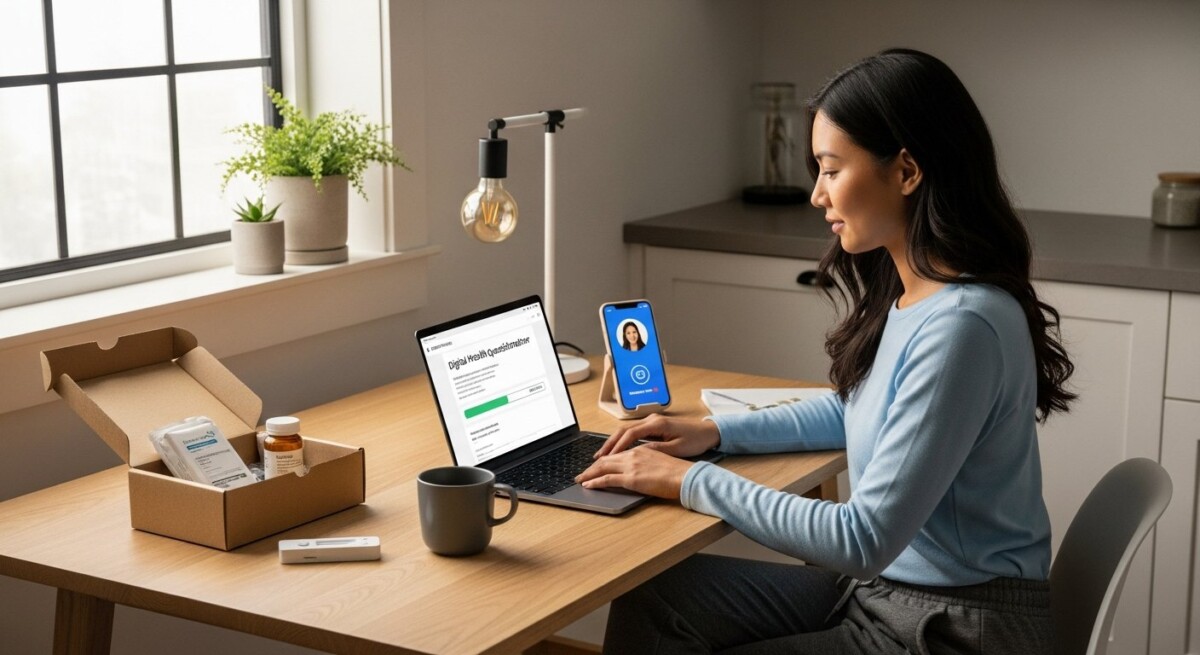
Getting a prescription filled usually meant scheduling a doctor’s appointment, sitting in a waiting room, and then making a separate trip to the pharmacy. That process can take hours out of your day. Fortunately, telemedicine has changed this entirely. You can now get a prescription online without visiting a doctor in person. This guide explains exactly how to fill a prescription online without visiting a doctor, what conditions qualify, and how to ensure you receive safe, legitimate treatment from a licensed provider.
What Does Filling a Prescription Online Mean?
Filling a prescription online without visiting a doctor means you use a telemedicine platform to consult with a licensed healthcare professional remotely. You do not go to a physical clinic or hospital. Instead, you complete a health questionnaire, have a virtual consultation (often via secure text, video, or phone), and if appropriate, the doctor sends an electronic prescription to a pharmacy. The pharmacy then delivers the medication to your door or prepares it for pickup.
This process is legal and safe when done through a legitimate service like DoctorsHome. The key is that a real, licensed medical provider reviews your information and makes a clinical decision. You are not simply buying medication without oversight. The convenience lies in the remote interaction and the elimination of travel and wait times.
Step-by-Step Guide: How to Fill a Prescription Online
The process is straightforward and can be completed from your phone or computer. Here are the typical steps you will follow to fill a prescription online without visiting a doctor.
Step 1: Choose a Reputable Telemedicine Service
Not all online prescription services are the same. You need a platform that employs licensed U.S. doctors and follows state regulations. DoctorsHome is one such platform. It offers virtual consultations for specific conditions and provides at-home testing kits. When choosing a service, verify that it requires a medical review. Avoid sites that promise prescriptions without any doctor interaction, as these are often unsafe or illegal.
Step 2: Create an Account and Complete a Health Questionnaire
After selecting a service, you will typically create an account. This involves providing your name, contact information, and a brief medical history. You then complete a detailed health questionnaire. This form asks about your symptoms, current medications, allergies, and medical history. Be honest and thorough. The doctor uses this information to assess your condition. For example, if you need a prescription for eye allergies, you will describe your symptoms such as redness, itching, or discharge.
Step 3: Virtual Consultation with a Licensed Provider
Once the doctor receives your questionnaire, they review it. Depending on the service, you may have a live video call, a phone call, or an asynchronous text exchange. The doctor may ask follow-up questions to clarify your symptoms. This is a real medical consultation, not a rubber stamp. The doctor decides if a prescription is medically appropriate. If you need a prescription for a condition like herpes virus, the doctor will confirm the diagnosis and discuss treatment options.
Step 4: Prescription Issuance and Pharmacy Delivery
If the doctor determines that medication is necessary, they send an electronic prescription directly to a partner pharmacy. Many telemedicine services offer home delivery. At DoctorsHome, for instance, prescriptions and test kits are delivered in discreet packaging within 2 to 5 business days. You do not need to visit a pharmacy. The medication arrives at your home, and you can start your treatment immediately. This is the final step in how to fill a prescription online without visiting a doctor.
Conditions Commonly Treated Through Online Prescriptions
Online consultations are suitable for many non-emergency conditions. Telemedicine platforms typically treat ongoing or acute issues that do not require a physical examination. Some of the most common conditions include:
- Herpes virus (oral, genital, and shingles) , antiviral medications can be prescribed for outbreaks or suppression.
- Eye allergies and infections , prescription eye drops for allergic conjunctivitis or other conditions.
- Urinary tract infections (UTIs) , antibiotics for uncomplicated UTIs.
- Acne and skin conditions , topical or oral medications for acne, rosacea, or eczema.
- Asthma and allergies , inhalers or allergy medications for ongoing management.
- Birth control , contraceptive pills, patches, or rings.
It is important to note that not all conditions can be treated online. If you have a complex or emergency condition, such as chest pain, severe infection, or a broken bone, you must visit an in-person doctor or an emergency room. Telemedicine is for low-acuity, easily diagnosable conditions. Always consult the platform’s list of treatable conditions before starting. For example, if you suspect you have strep throat, you can use a service that offers at-home test kits, but you may still need a virtual consultation to confirm the diagnosis. In our guide on getting a strep throat diagnosis and prescription online, we explain how the process works for that specific condition.
Safety and Legitimacy: What to Look For
Safety is the most important factor when you fill a prescription online. You must ensure that the service is legitimate and that your health information is protected. Here are key criteria to evaluate:
- Licensed providers: The service must employ doctors who are licensed in your state. You can verify this through the state medical board.
- Medical review: A doctor must review your case. There should be a real consultation, not just a form.
- Secure platform: The website should use encryption to protect your personal and medical data. Look for HTTPS in the URL.
- Discreet packaging: Reputable services deliver medications in plain, unmarked boxes to protect your privacy.
- Clear pricing: The cost of the consultation and medication should be transparent. There should be no hidden fees.
Legitimate telemedicine platforms like DoctorsHome meet all these criteria. They prioritize patient safety and confidentiality. Avoid any site that offers prescriptions without a doctor review or that does not require a medical history. These are often scams or dangerous operations.
Cost and Insurance Considerations
The cost of filling a prescription online varies. Most telemedicine services charge a consultation fee, which can range from $30 to $100. The medication itself is an additional cost. Some platforms include the medication price in the consultation fee. For example, DoctorsHome offers a streamlined process where you pay for the consultation and the medication together. You can often use insurance to cover the medication, but you should check with your insurance provider first. Some services accept Health Savings Accounts (HSAs) or Flexible Spending Accounts (FSAs).
If you do not have insurance, the cost is still often comparable to or less than a traditional doctor visit, especially when you factor in travel and time off work. Many patients find that the convenience and speed justify the cost. When comparing services, look at the total price including consultation, medication, and shipping. Some platforms also offer subscription services for chronic conditions, which can lower the per-month cost.
Frequently Asked Questions
Is it legal to get a prescription online without seeing a doctor in person?
Yes, it is legal in all 50 states when you use a licensed telemedicine service. The doctor must be licensed in your state, and there must be a valid doctor-patient relationship established through a consultation. The Ryan Haight Online Pharmacy Consumer Protection Act allows for remote prescribing when the doctor conducts a real-time, two-way audio-video communication or a thorough asynchronous evaluation.
Can I get any medication online?
No. Controlled substances (like opioids and stimulants) are much harder to get online and often require an in-person visit. Most telemedicine services focus on non-controlled medications for common conditions like allergies, infections, and skin problems. Some services do prescribe controlled substances for specific conditions, but they must follow strict federal and state regulations.
How long does it take to get a prescription online?
The process is fast. After you submit your health questionnaire, a doctor typically reviews it within a few hours (often within 24 hours). If approved, the pharmacy ships the medication within 1-2 business days. Most patients receive their medication within 2-5 business days from the time of ordering. For urgent needs, some services offer same-day pickup at a local pharmacy.
What if my prescription is not approved?
If the doctor determines that a prescription is not medically appropriate, they will not issue one. This can happen if your symptoms suggest a more serious condition, if there are drug interactions, or if the condition cannot be treated online. The doctor may recommend that you see an in-person provider. You are not charged for the medication in these cases, though some services may charge a consultation fee.
Filling a prescription online without visiting a doctor is a safe, convenient, and effective way to manage many health conditions. The key is to choose a reputable platform, provide accurate health information, and follow the doctor’s advice. Services like DoctorsHome make this process simple by handling the consultation, prescription, and delivery all in one place. If you have a non-emergency condition, consider using telemedicine for your next prescription refill or new treatment. It saves time, protects your privacy, and gives you access to medical care from the comfort of your home. For more information and to start your consultation, visit DoctorsHome.com.
Additionally, for those managing finances alongside health, services like car loan refinancing can help reduce monthly expenses, freeing up budget for healthcare costs.
About the Author: Emily Rodriguez




Sign up for our newsletter and Save 20% on Test Kits
"*" indicates required fields