
UnitedHealthcare Virtual Visits Guide: What to Know
UnitedHealthcare Virtual Visits Guide: What to Know
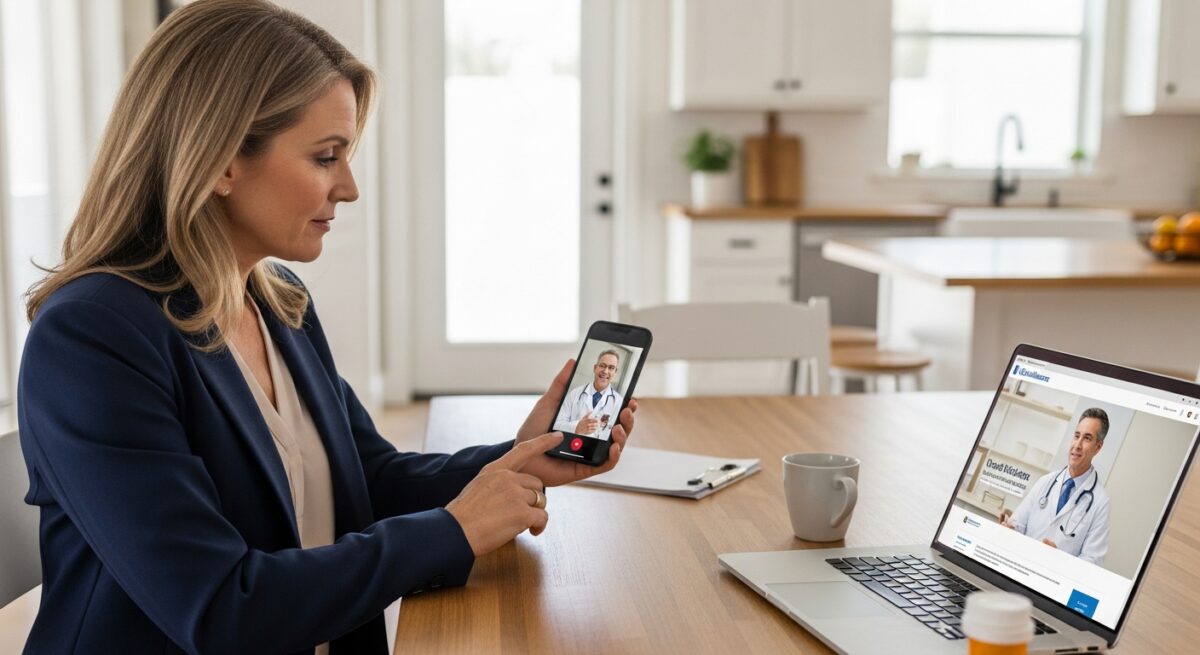
Navigating healthcare in a busy world often means finding faster, more flexible ways to connect with a doctor. UnitedHealthcare virtual visits have emerged as a leading solution for members who want medical advice without the commute, the waiting room, or the time away from work. Whether you need a prescription refill, treatment for a sinus infection, or guidance on managing a chronic condition, understanding how to use your UnitedHealthcare plan for a virtual visit can save you time and money. This guide walks through every step, from checking your benefits to getting the most out of your online consultation.
What Are UnitedHealthcare Virtual Visits?
UnitedHealthcare virtual visits allow you to see a board-certified doctor, therapist, or specialist using a smartphone, tablet, or computer. These appointments are often called telehealth or telemedicine appointments. Instead of traveling to a clinic, you connect with a provider through a secure video call or phone call. For many common health concerns, a virtual visit works just as well as an in-person exam.
UnitedHealthcare partners with several telehealth platforms to deliver these services. Depending on your specific plan, you may have access to a dedicated network of doctors who specialize in virtual care. This means you can choose a time that fits your schedule, sometimes with same-day availability. The convenience factor is significant, especially for families, busy professionals, and those living in rural areas where specialist access may be limited.
Key Benefits of Virtual Healthcare Visits
Virtual healthcare visits offer a range of advantages that go beyond simple convenience. For UnitedHealthcare members, these benefits often include lower out-of-pocket costs compared to urgent care or emergency room visits. Many plans offer a reduced copay or even a $0 copay for certain virtual consultations. This makes it an affordable option for managing non-emergency conditions.
Other key benefits include reduced exposure to germs in waiting rooms, easier scheduling for follow-up appointments, and the ability to receive care while traveling. For mental health services, virtual visits can remove barriers like stigma and travel time, encouraging more people to seek counseling. The platform also supports prescription management, with electronic prescriptions sent directly to your preferred pharmacy.
How to Schedule a UnitedHealthcare Virtual Visit
Scheduling a virtual visit through UnitedHealthcare is a straightforward process. The first step is to log into your member account on the UnitedHealthcare website or mobile app. From the dashboard, look for the “Find Care” or “Virtual Visits” section. This tool will show you available providers who accept your insurance plan.
You can search by condition, specialty, or provider name. Once you find a suitable doctor, you will see available appointment times. Select a time slot that works for you, and you will receive a confirmation with a link to join the video call. Alternatively, some UnitedHealthcare plans offer direct access to partner platforms like Teladoc or Doctor On Demand. In those cases, you can schedule directly through the partner app using your UnitedHealthcare login credentials.
For those who prefer a more integrated approach, platforms like DoctorsHome provide a streamlined process for specific needs such as prescription refills for herpes virus or eye allergies. As noted in our Teladoc Virtual Visits guide, understanding the nuances of different telehealth providers can help you choose the best option for your situation.
What Conditions Can Be Treated Virtually?
UnitedHealthcare virtual visits cover a wide range of medical conditions. The most common reasons for a virtual visit include respiratory infections like colds, flu, and COVID-19. Skin conditions such as rashes, eczema, and acne are also frequently diagnosed through video consultations. Allergies, pink eye, and urinary tract infections are other common treatable conditions.
Beyond acute care, many UnitedHealthcare plans now include virtual behavioral health services. This includes therapy for anxiety, depression, and stress management. Some plans also offer virtual visits for chronic condition management, such as diabetes, high blood pressure, and asthma. However, certain physical exams that require hands-on assessment, like a knee injury check or a full physical, are generally not suitable for virtual visits.
Cost and Insurance Coverage for Virtual Visits
One of the most important aspects of using UnitedHealthcare virtual visits is understanding the cost. The cost depends on your specific plan. Many plans classify virtual visits as a type of office visit, so you may pay your standard copay. However, a growing number of plans offer a reduced copay specifically for virtual care. Some employer-sponsored plans even offer $0 copays for certain telehealth services.
To avoid surprise bills, always check your benefits before scheduling. Log into your member portal and review the details under “Telehealth Benefits” or call the number on the back of your insurance card. Ask specifically about the copay for a virtual visit with a primary care provider versus a specialist. Also, confirm whether the provider you choose is in-network. Using an out-of-network provider for a virtual visit can lead to higher costs or no coverage at all.
It is also worth noting that UnitedHealthcare typically covers virtual visits for both medical and behavioral health at the same rate as in-person visits for the same service. This parity is required by many state laws and federal regulations. However, always verify coverage for specific services like online therapy or dermatology consultations.
Technology Requirements for a Successful Visit
To participate in a UnitedHealthcare virtual visit, you need a few basic technology components. A stable internet connection is essential. A smartphone, tablet, or computer with a camera and microphone is required. Most platforms work on both iOS and Android devices as well as major web browsers like Chrome, Safari, and Firefox.
Before your appointment, test your camera and microphone. Find a quiet, well-lit room where you will not be interrupted. Avoid using public Wi-Fi networks for medical appointments due to privacy concerns. If possible, use your home internet or a secure cellular data connection. UnitedHealthcare’s virtual visit platform uses encrypted video technology to protect your health information.
Preparing for Your Virtual Appointment
Preparation is key to a productive virtual visit. Start by writing down your symptoms, including when they started and what makes them better or worse. List any medications you are currently taking, including over-the-counter drugs and supplements. Have your insurance card handy, as the provider may ask for your member ID during the visit.
If the visit is for a skin condition, take clear photos of the affected area before the appointment. You can share your screen or upload images during the video call. For follow-up visits, have any recent lab results or blood pressure readings available. Make sure you have a list of questions ready so you do not forget anything important.
What to Expect During the Consultation
During the virtual visit, the doctor will ask about your medical history and current symptoms, just like in a regular office visit. They may ask you to perform simple self-examinations, such as checking your throat with a flashlight or pressing on your abdomen to describe any pain. The doctor can also view photos or videos you have uploaded.
After the assessment, the doctor will provide a diagnosis and a treatment plan. If a prescription is needed, it will be sent electronically to your chosen pharmacy. The doctor may also order lab tests or recommend a follow-up visit. You will have the opportunity to ask any remaining questions before the call ends.
Prescriptions and Follow-Up Care
One of the most common reasons for a united healthcare virtual visit is to get a prescription. Doctors can prescribe many medications through telehealth, including antibiotics for infections, antiviral medications for herpes outbreaks, and allergy relief medications. However, certain controlled substances like stimulants and some anxiety medications may not be prescribed through a virtual visit due to federal regulations.
If you need a prescription, the doctor will send it directly to your preferred pharmacy. You can usually pick it up within a few hours or have it delivered. At DoctorsHome, for example, prescriptions and test kits arrive in discreet packaging within two to five business days. This convenience is a major advantage for those managing ongoing conditions.
For follow-up care, the doctor may schedule another virtual visit to monitor your progress. They can also refer you to a specialist if your condition requires more advanced treatment. Always keep a record of your visit summary, which will be available in your UnitedHealthcare member portal.
At-Home Testing Kits and Virtual Visits
UnitedHealthcare virtual visits often integrate with at-home testing kits. This combination allows for comprehensive care without leaving your home. For example, if you have symptoms of a urinary tract infection, the doctor may order a urine test kit to be mailed to your home. You collect the sample and send it back to a lab. Results are shared with the doctor, who then prescribes treatment if needed.
DoctorsHome offers a wide range of at-home testing kits for conditions like COVID-19, hormone levels, thyroid function, and vitamin deficiencies. These kits can be ordered as part of a virtual visit, making the entire process seamless. The ability to test at home reduces the need for lab visits and speeds up diagnosis.
Privacy and Security of Virtual Visits
Privacy is a top concern for anyone using online healthcare. UnitedHealthcare virtual visits are conducted on HIPAA-compliant platforms that encrypt your data. This means your conversations and medical records are protected from unauthorized access. The platforms also use secure login methods, such as two-factor authentication, to verify your identity.
You can further protect your privacy by using a private internet connection and ensuring that no one else is in the room during your appointment. Avoid taking screenshots or recording the session without the doctor’s permission. After the visit, your medical notes become part of your confidential health record, accessible only to you and your authorized providers.
Comparing UnitedHealthcare Virtual Visits to Other Telehealth Options
While UnitedHealthcare offers robust virtual visit options, it is helpful to compare them to other telehealth services. Direct-to-consumer platforms like Teladoc and DoctorsHome offer similar convenience but may have different pricing models. For example, DoctorsHome provides focused care for specific conditions like eye allergies and herpes virus, with a streamlined form and delivery process. This can be ideal for patients who need a quick refill or a discreet test kit.
UnitedHealthcare’s network tends to be broader, covering a wider range of specialists and primary care providers. However, the cost and availability depend entirely on your specific plan. For those without insurance or with high deductibles, standalone telehealth platforms may be more affordable. Always compare the out-of-pocket costs before choosing a service.
External resources like Moving Homes provide additional information on how to transition your healthcare when relocating, including how to maintain continuity of care through virtual visits.
Frequently Asked Questions
Are UnitedHealthcare virtual visits covered 100%?
Not always. Coverage depends on your specific plan. Many plans offer a reduced copay or $0 copay for virtual visits, but some may treat them as standard office visits with a regular copay. Always check your benefits before scheduling.
Can I get a prescription through a virtual visit?
Yes, for many conditions. Doctors can prescribe antibiotics, antivirals, allergy medications, and other non-controlled substances. Controlled substances generally cannot be prescribed through a first-time virtual visit.
What if I need a physical exam?
Virtual visits are not suitable for comprehensive physical exams. Conditions that require hands-on assessment, like heart murmurs or abdominal masses, typically need an in-person visit. However, many follow-up visits and chronic condition checks can be done virtually.
How do I find a provider who accepts UnitedHealthcare for virtual visits?
Log into your UnitedHealthcare member portal and use the “Find Care” tool. Filter by “Virtual Visit” to see a list of in-network providers. You can also call the number on your insurance card for assistance.
Can children use UnitedHealthcare virtual visits?
Yes. Many pediatricians offer virtual visits for common childhood illnesses like ear infections, strep throat, and rashes. A parent or guardian must be present during the appointment.
Making the Most of Your Virtual Care Experience
UnitedHealthcare virtual visits represent a shift toward more accessible, patient-centered healthcare. By understanding how to schedule, prepare for, and follow up on these appointments, you can take full advantage of your insurance benefits. Whether you need a quick treatment for an infection or ongoing management of a chronic condition, virtual care offers a flexible and efficient path to better health.
As telemedicine continues to evolve, the integration of at-home testing and prescription delivery will only improve. Platforms like DoctorsHome are already leading the way in providing discreet, convenient care for specific health needs. By combining the resources of your UnitedHealthcare plan with specialized telehealth services, you can create a comprehensive healthcare strategy that fits your lifestyle. Always remember that virtual visits are a tool, not a replacement for emergency care. For life-threatening conditions, call 911 or visit the nearest emergency room.
About the Author: Matthew Sullivan





Sign up for our newsletter and Save 20% on Test Kits
"*" indicates required fields